From spreadsheet chaos to one live strategist.
Stackhold doesn't just track your portfolio — it understands your position, researches the market, and builds your next-step strategy. Here's how it works, from the moment you sign up to the moment you act.
How it works
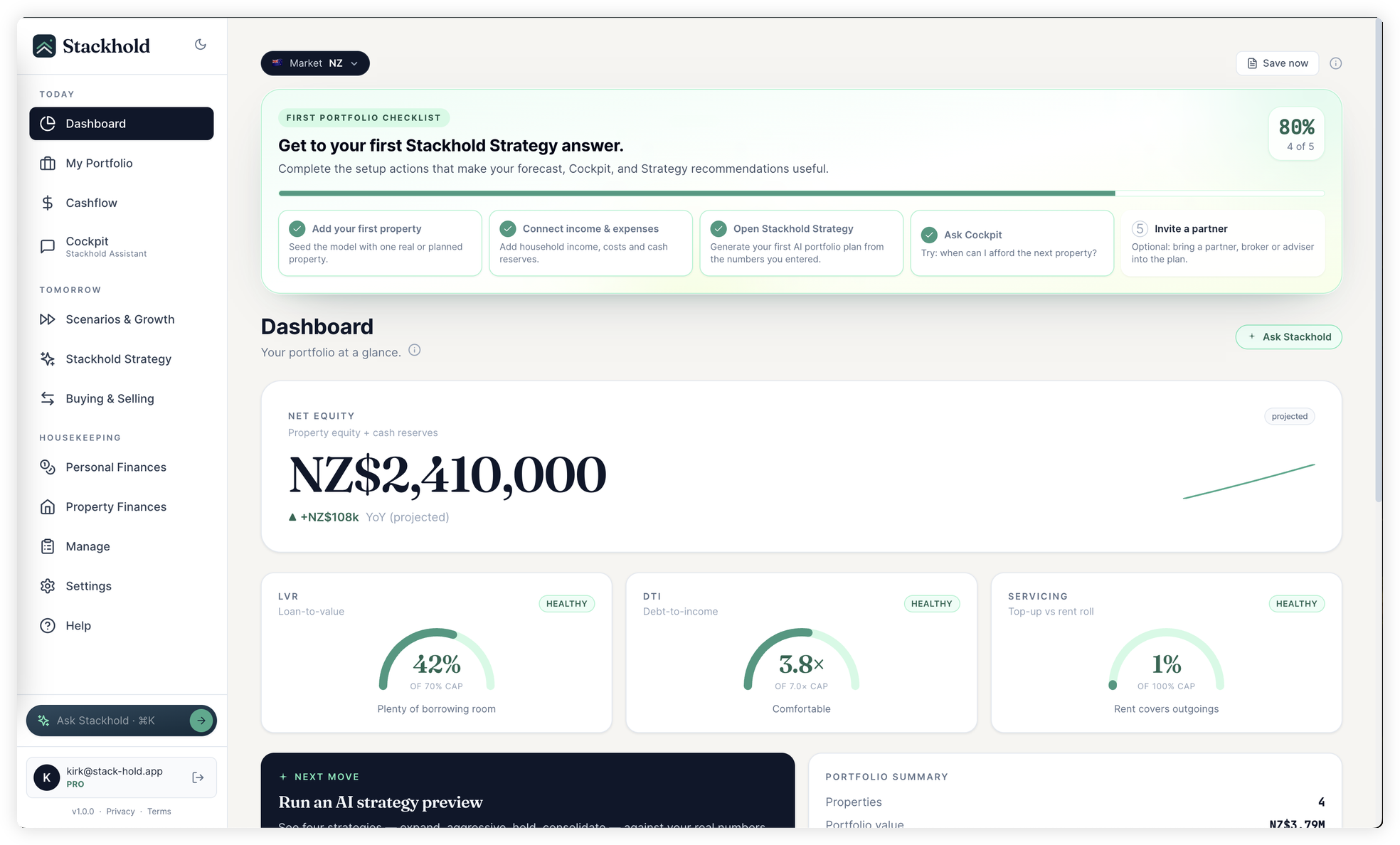
Add your portfolio
Properties, loans, income, expenses — the Strategist learns your position
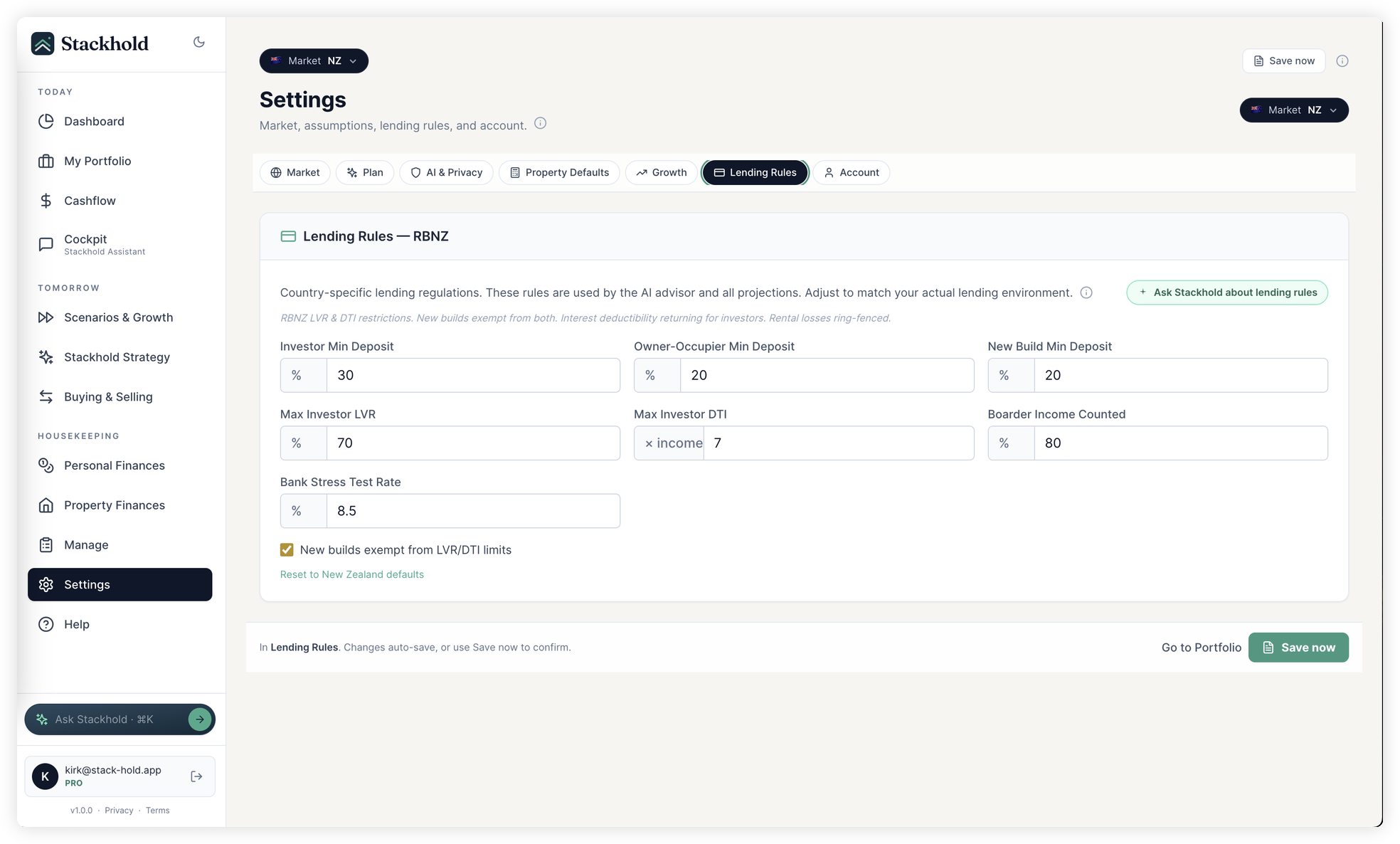
Set your strategy mode
Expand, Aggressive, Hold, or Consolidate — the Strategist adapts
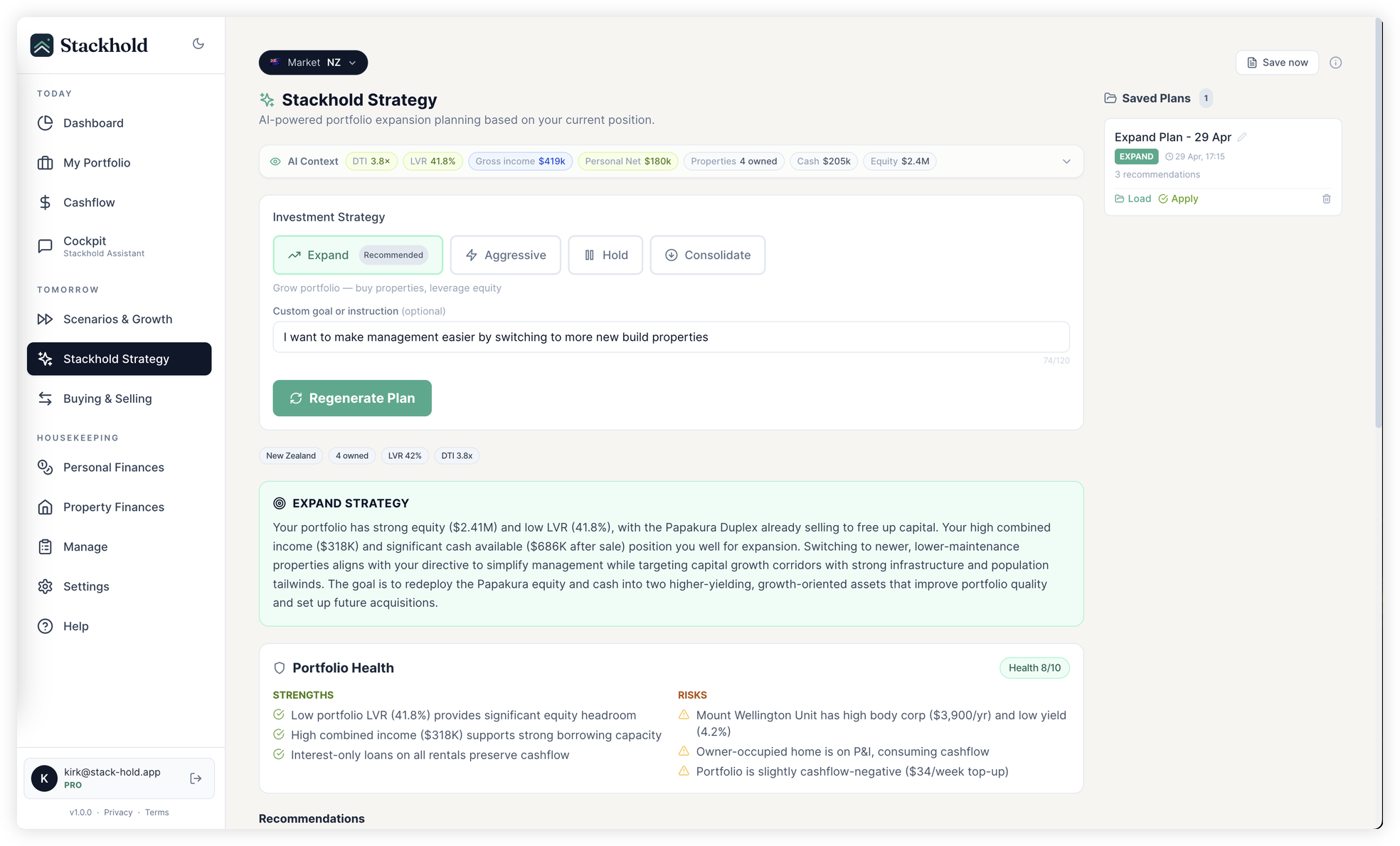
Get your Strategist plan
Specific properties, exact numbers, dated next steps — built for you
The first property platform with a built-in strategist
Not templates. Not rules of thumb. A custom-built engine that understands your position, the law, and the market — then builds your plan.

Understands you
Stackhold knows your equity, income, expenses, and every property you own — first home or fifth rental. Your full picture, in one place.

Knows the rules
Live RBNZ, APRA, and US lending rules. DTI caps, LVR limits, new-build exemptions, stress rates — all current, all editable for any country.

Researches the market
Reads growth corridors, infrastructure projects, population trends, and yield data in the suburbs you care about. So your plan is shaped by where money actually moves.

Builds your plan
You get specific properties, exact numbers, and numbered next steps with dates. Apply with one click — your whole portfolio updates.
Other tools show you what happened. The Strategist tells you what to do.
What actually happens after you sign up.
No long wizard, no credit check. The fastest way in is to tell Stackhold Assistant your situation in plain language — or paste a block from your sheet. Within minutes you can ask the one question you came for.
- 1 Minute 1
Tell Stackhold what you own and earn — or paste your sheet.
Talk to it in plain language, or copy/paste a block from Excel. It turns rows into real entries in the app.
- 2 Minutes 2–3
Confirm what it captured.
Preview the changes, tweak anything, approve. DTI, LVR, cashflow, and deposit-readiness recalculate at once.
- 3 Minute 5
Ask the question you came for.
"When can I afford to buy?" or "Is a second rental realistic if rates spike?" Real numbers, real dates, your market.
Free covers core lending, cashflow, and manual entry. The plain-English Assistant, 10-year view, and Strategist are Pro features.
Find out when you can actually afford the next one.
Add one property, a few numbers about your income, and Stackhold tells you — in a real date, in your own currency — when the next move is realistic.
No credit card · Free plan keeps your portfolio forever · NZ / AU / US rules built in